Every one of these runs on your existing Salesforce schema. No data movement. No new vendors. Configure in the REDA AI Admin tab, deploy across any of eight channels.
Sales
AI SDR on Opportunities
Reps spend hours on context-gathering and follow-up emails. Pipeline goes cold while they read CRM history.
What the agent does: Reads opportunity, account, and contact history, drafts the next-best email, sends it via the email channel, logs the activity back to Salesforce — all on request from the rep, or on a Flow trigger.
Internal Channel
Email Outbound
Flow Trigger
Objects
Opportunity · Account · Contact · Task · EmailMessage
Tools
SOQL templates for opportunity history; Apex tool for email composition + send; Apex tool for activity logging.
Outcome
Faster reply on stale opportunities. Every touch logged automatically.
Draft a follow-up to Sarah at Acme on the Q3 expansion — flag the integration concern from her last note.
Service
Tier-1 Deflection on Experience Cloud
Customers raise cases for things the knowledge base already answers. Tier-1 staff burn cycles on the same questions every day.
What the agent does: Lives on the customer Community, answers from the KB, executes record actions (case lookup, status checks, returns), and only escalates to a human when the customer asks or the agent is uncertain.
Community Channel
KB Q&A
SOQL Tools
Objects
Case · Contact · Order · Knowledge__kav · Asset
Tools
SOQL templates for case & order lookup; Apex tool for status checks; KB grounding for handbook answers.
Outcome
Tier-1 deflection on repeated questions. Cleaner case queues for the team.
Where's my order? It was supposed to ship last Friday.
Finance
AP Invoice Intake Agent
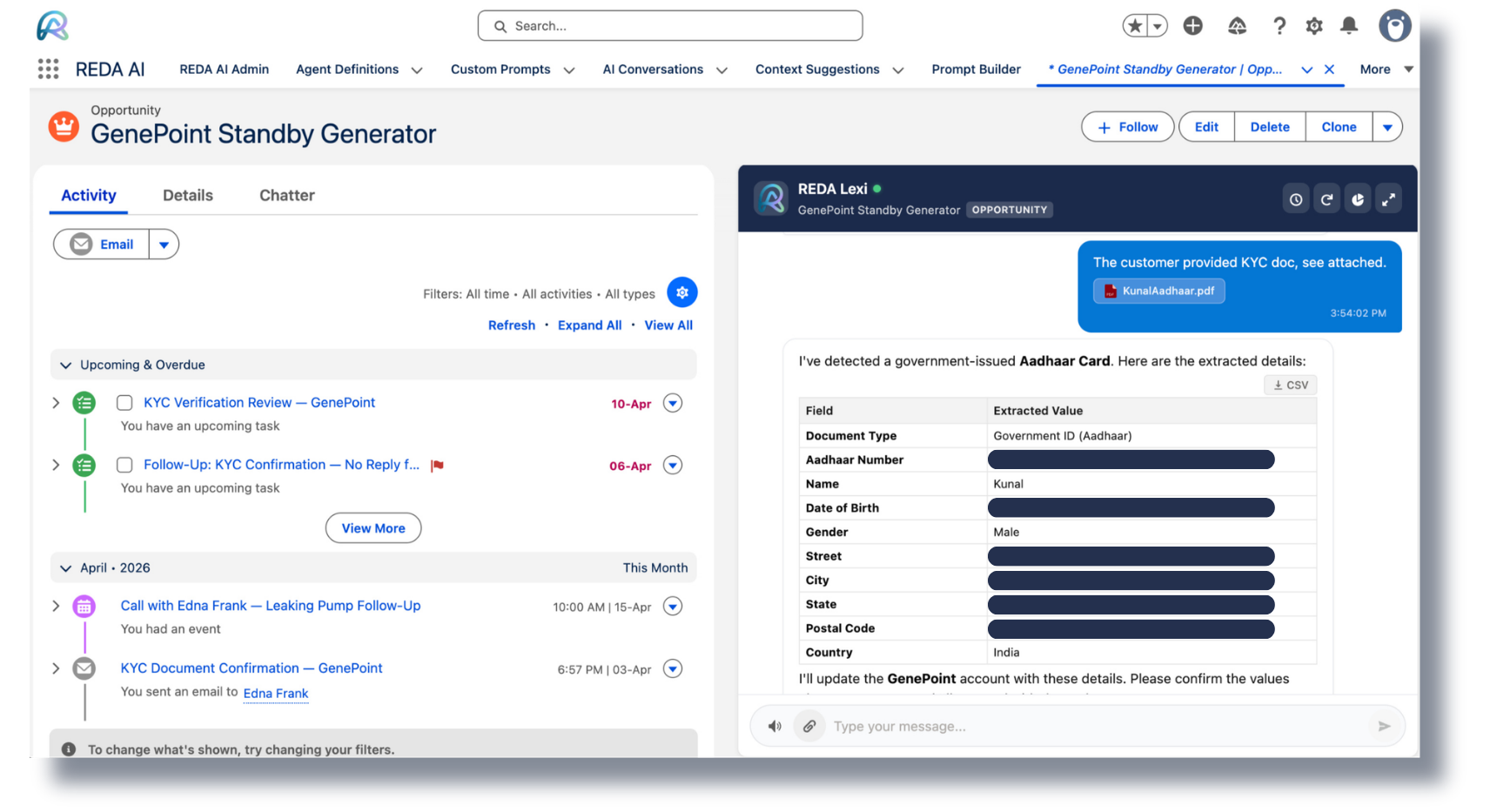
Vendor invoices arrive as PDFs, scans, and email attachments. Someone has to open each one, read it, and key the data into Salesforce.
What the agent does: Receives invoices via email, extracts vendor, line items, totals, and PO match using multimodal document processing, creates or updates records, and routes for approval through Flow.
Email Inbound
Multimodal AI
File Mapping
Flow
Objects
Account (vendor) · PurchaseOrder__c · Invoice__c · InvoiceLine__c · ContentVersion
Tools
File-mapping tool for PDF extraction; SOQL template for PO match; Apex tool for invoice creation; Flow for approval routing.
Outcome
Invoices in Salesforce within minutes of arrival. Manual data entry off the AP team's desk.
Process the attached invoice — match it to the open PO and route to approval.
HR
Employee Policy Assistant
HR fields the same policy questions every week. Employees can't find answers in the handbook and end up emailing.
What the agent does: Runs on the internal Salesforce Lightning channel, answers from policy docs, looks up the employee's own records (PTO balance, benefits enrollment, training status), and submits requests through Flow.
Internal Channel
KB Q&A
Voice Input
Objects
User · Employee__c · TimeOffRequest__c · BenefitsEnrollment__c
Tools
KB grounding on policy docs; SOQL template for employee record lookup; Flow invocable for PTO request submission.
Outcome
HR repetitive workload drops. Employees get instant answers on their own records.
How many vacation days do I have left, and can I take next Friday off?
Legal
Contract Clause Q&A Agent
Sales and ops teams ask Legal the same contract questions repeatedly. Legal becomes a bottleneck on every deal.
What the agent does: Accepts a contract upload, extracts and indexes clauses with multimodal processing, answers structured questions ("What's the termination notice period?"), surfaces deviations from standard terms, and creates a review case if needed.
Internal Channel
Document Upload
Apex Tools
Objects
Contract · ContentVersion · Account · Case (legal review)
Tools
File-mapping tool for clause extraction; KB grounding on standard playbook; Apex tool to create legal-review cases on deviation.
Outcome
Sales unblocks itself on routine contract questions. Legal sees only the deviations.
What's the termination notice period in this MSA, and how does it differ from our standard?
Field Service
WhatsApp Work-Order Updates
Field technicians and dispatchers play phone tag. Customers don't know if the technician is on the way. Everyone's frustrated.
What the agent does: Runs on WhatsApp via REDA Connect, gives technicians their next job, takes status updates back, sends customers ETA and arrival pings, and reschedules on customer request — all writing to Salesforce in real time.
WhatsApp
SMS
REDA Connect
SOQL Tools
Objects
WorkOrder · ServiceAppointment · ServiceResource · Account · Contact
Tools
SOQL templates for technician schedule; Apex tool for status updates; Apex tool for reschedule + customer notification.
Outcome
Less phone tag. More on-time arrivals. Status updates flow into Salesforce automatically.
Running 30 minutes late on the Maple Street job — let the customer know.
Marketing
Lead Enrichment & Follow-Up Agent
Inbound leads sit in Salesforce unenriched and unfollowed-up. The first 24 hours — when conversion is highest — get wasted.
What the agent does: Triggers on new lead via Flow, enriches against external sources through Apex tools, scores intent against the lead's history, and sends a personalized follow-up via the email channel — automatically logged.
Flow Trigger
Apex Tools
Email Outbound
Objects
Lead · Campaign · CampaignMember · EmailMessage
Tools
Lead-triggered Flow invokes the agent; Apex tool for enrichment callout; Apex tool for personalised email send + activity log.
Outcome
Every new lead gets a personalised first touch within minutes. Sales sees enriched, scored leads — not raw.
[Triggered automatically by Flow] New lead — Jane Doe at Globex. Enrich, score, and send the right follow-up.
IT / Internal
Admin Co-Pilot via Flow
Admin teams want AI inside their existing automation, not as a separate tool. Every Flow that needs reasoning has to wait for a developer.
What the agent does: Available as the "Send Message to REDA AI Agent" invocable action — drop it into any Flow, pass record context in, get reasoned output back. Use it for triage, summarization, classification, or decisioning inside any process.
Flow Invocable
Any Process
Admin-Buildable
Objects
Any object you pass into the Flow — Case, Lead, Opportunity, custom objects, etc.
Tools
Salesforce Flow invocable action: Send Message to REDA AI Agent. Pass record IDs and prompts in; receive reasoned output.
Outcome
AI reasoning embedded inside processes admins already maintain. No developer required for new use cases.
[From a record-triggered Flow] Classify this case priority and suggest a routing queue based on the description.